
How to Add Funds to Your Wallet
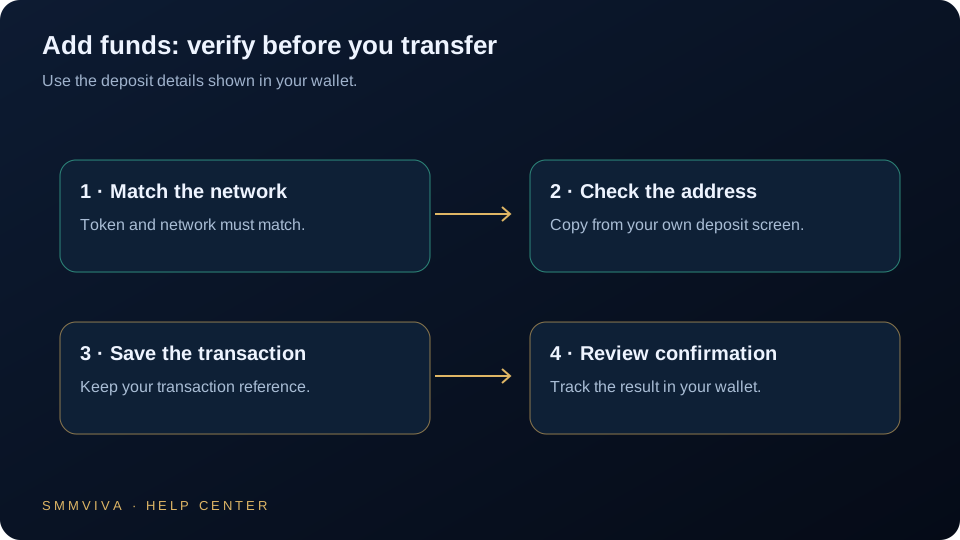
Funding your SMMViva wallet is the first step to placing orders. We accept USDT deposits on three blockchain networks: TRC20 (Tron), BEP20 (BSC), and ERC20 (Ethereum). This guide walks you through choosing the right network, completing the deposit, and getting your balance credited.
Choosing the Right Network
SMMViva accepts USDT on three networks. Each differs in transaction fees and confirmation speed. The network you select in the dashboard must exactly match the network your exchange or wallet uses to send; a mismatch results in permanent loss of funds.
- ✓TRC20 (Tron): fees under $1, confirmations in 1-3 minutes; recommended for most users
- ✓BEP20 (BNB Chain): fees under $0.50, confirmations in 1-2 minutes
- ✓ERC20 (Ethereum): fees $3-$15+, confirmations in 3-10 minutes; only use if your exchange requires it
TRC20 is the most cost-effective network for SMM panel deposits. Most major exchanges (Binance, OKX, Bybit, Huobi) support TRC20 USDT withdrawals.
Step-by-Step Deposit Process
Follow the current Add Funds instructions. Manual Payment uses an official ticket and credits Principal only after staff verifies the transfer; timing depends on the selected method and verification.
Verification and Credit Timeline
Manual Payment requires staff verification through the official ticket before any wallet credit. Other payment methods follow their displayed verification process.
- ✓Standard verification: 15-30 minutes after TX hash submission
- ✓High-traffic periods: up to 2 hours
- ✓If not credited after 2 hours: open a support ticket with your TX hash
- ✓Minimum deposit: $1 USDT; amounts below this threshold are not credited
Common Deposit Issues
Most deposit problems have a simple root cause. The following are the most frequent issues and how to resolve them.
- ✓Wrong network: sent ERC20 USDT to a TRC20 address; these funds cannot be recovered
- ✓Typo in address: always use the copy button, never type wallet addresses manually
- ✓Under minimum: amounts under $1 USDT will not be credited
- ✓No TX hash submitted: providing the TX hash significantly speeds up manual verification
- ✓Transaction still unconfirmed: wait for at least 1 blockchain confirmation before submitting
Sending USDT on the wrong network results in permanent, unrecoverable fund loss. This is the most common and most costly mistake. Always double-check your network before every transaction.
Deposit Security Best Practices
Always copy deposit addresses using the copy button; never type them manually. Verify the first and last 4 characters of the address after pasting. Confirm the network matches between your exchange and the dashboard. Start with a small test deposit ($1-$20) if you are new to crypto transfers. Keep your TX hash until the deposit is credited to your balance.
Join thousands of resellers and agencies using SMMViva to grow faster every day.